VMware | ESXi 7.0 + 8.0 GPU Passthrough with GPU or vGPU with More Than 8GB of VRAM
· 4 min read
During my testing of vGPU and GPU passthrough I ran into an issue where I could not pass through GPUs with more than 8GB of VRAM.
In my case, my GPU in my ESXi host was a Tesla K80 (24GB VRAM). Luckily, I stumbled upon a great article by Stephen Wagner who outlined this well. All the knowledge below is derived from that post: GPU or vGPU Passthrough with 16GB+ of Video Memory – The Tech Journal (stephenwagner.com).
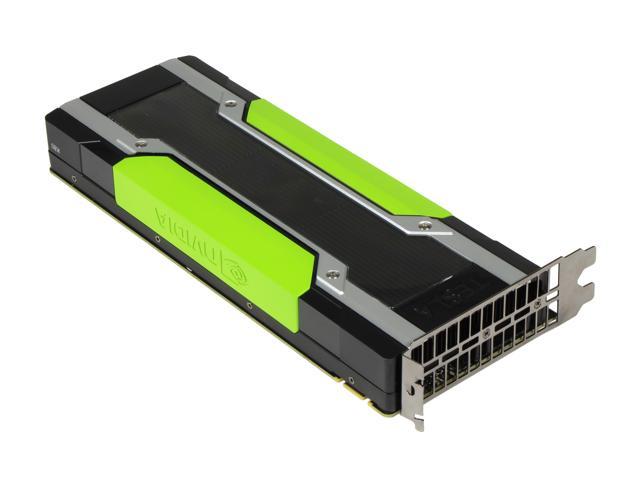
NVIDIA Tesla K80
The VM Configuration
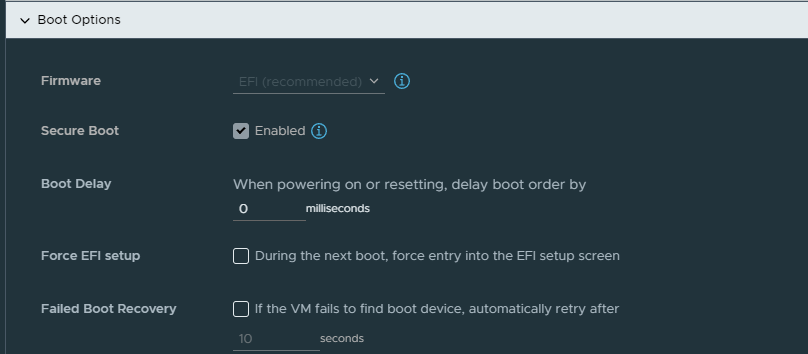
First, the VM must be created with EFI under the boot options, and with secure boot enabled. Warning: this may cause your VM not to boot, as it does mess with the VM boot options, and the operating system might not respect these new settings.
Next, we need to add the PCI passthrough MMIO advanced options to the VM itself.
The values you will be adding to your VM's advanced settings are:
pciPassthru.use64bitMMIO="TRUE"
pciPassthru.64bitMMIOSizeGB=32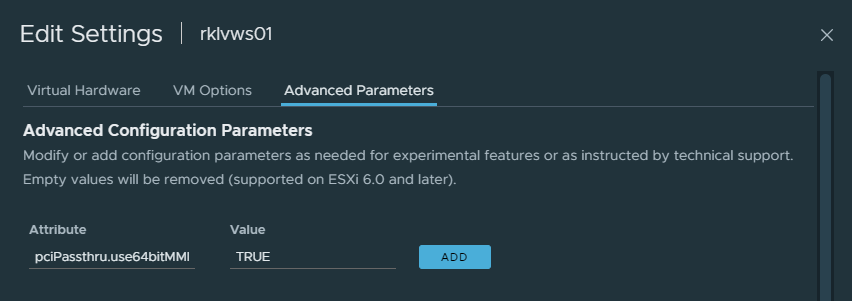
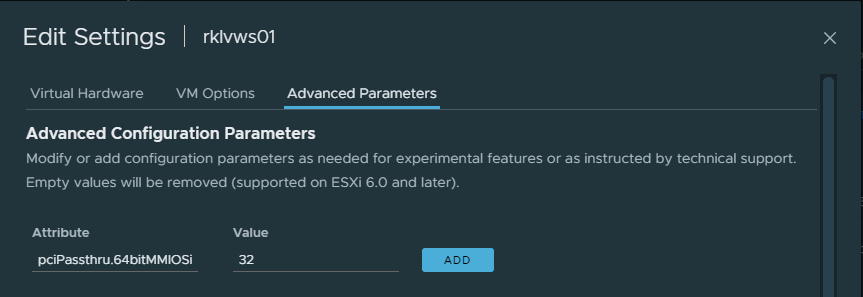
Then, make sure your PCIe device is passed through to the VM, and save your configuration.
The VM should then be good to start, and should boot with the PCIe device attached correctly.
Source
Originally published on ZBC | Zveroboy Cloud, November 21, 2022.