How to Install Drivers on Ubuntu for the NVIDIA Tesla K80
· 3 min read
Greetings!
I recently had to work on installing a Tesla K80 in a SUPERMICRO 1027GR-TRF triple GPU server. Then, I needed to install Ubuntu Server 20.04.5 LTS to run batch based GPU workloads.
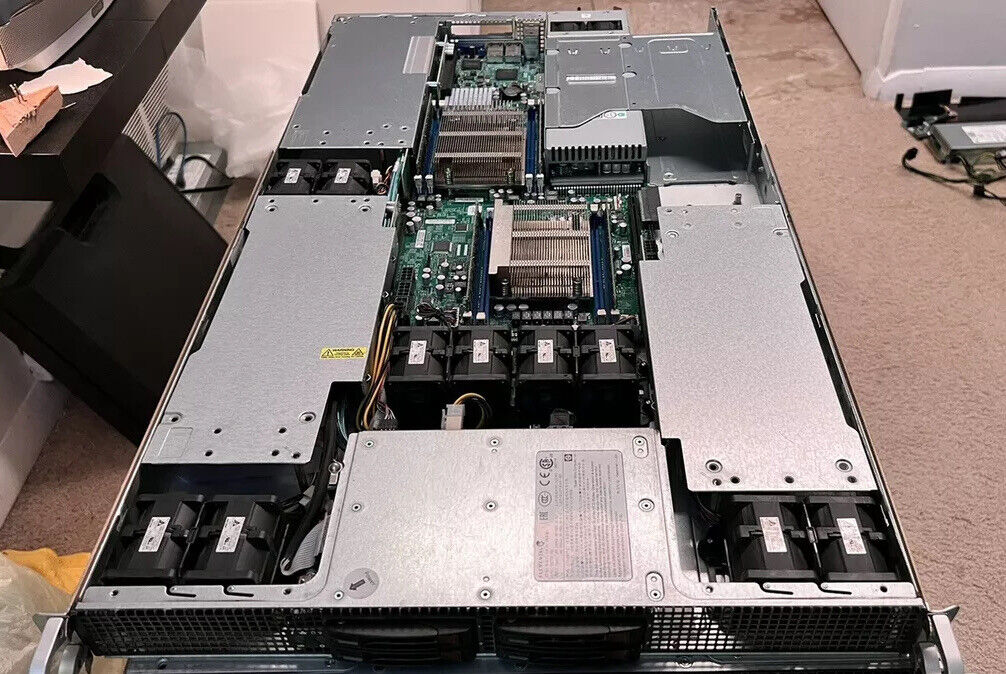
SUPERMICRO 1027GR-TR w/ E5-2670, 64GB RAM, and 1x Tesla K80
Let's see… what do we need to do to get this working?
The GPU Driver
First, we need to install our GPU drivers. Unfortunately the Linux driver for the K80, 460.106.00, was last updated on 10-26-2021 and will most likely contain unpatched CVEs. This includes just the GPU driver, and not the CUDA dev kit.
Install the prerequisites for the GPU driver:
sudo apt update -y && sudo apt install make gcc wget -yThen, download the driver:
cd ~ && wget https://us.download.nvidia.com/tesla/460.106.00/NVIDIA-Linux-x86_64-460.106.00.runLastly, install the driver and follow the wizard:
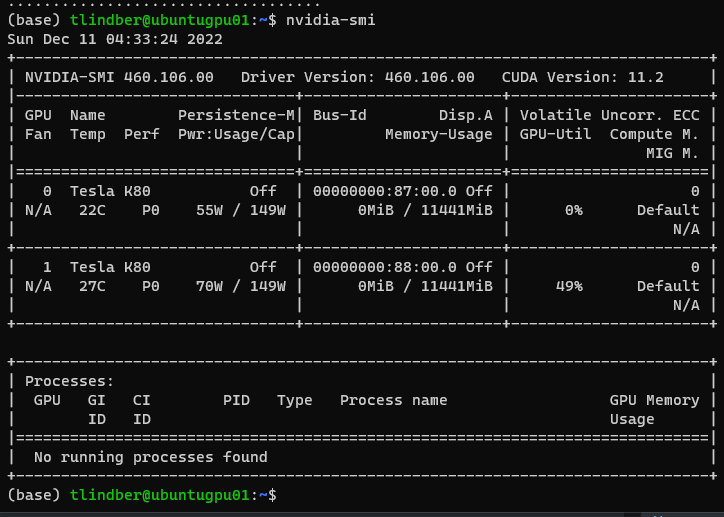
chmod +x NVIDIA-Linux-x86_64-460.106.00.run && sudo ./NVIDIA-Linux-x86_64-460.106.00.runAt the end your nvidia-smi output should look like this:
The Conclusion
At this point the system should be ready to go for GPU workloads to be installed. After installing this driver and the needed packages, I was able to run PyTorch workloads and Python AI-benchmarking software. I'll be writing a post on sub-$100 eBay GPUs and their ML performance soon!
Source
Originally published on ZBC | Zveroboy Cloud, December 11, 2022.